

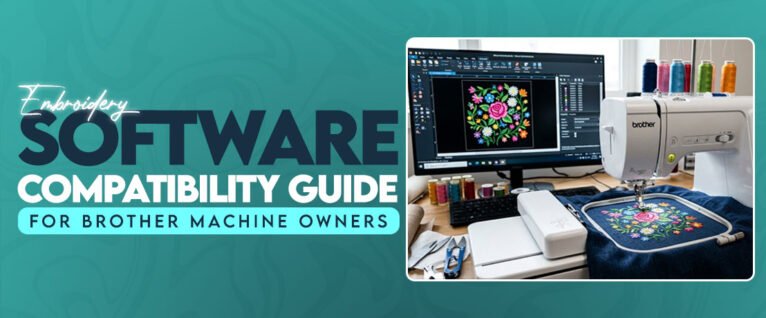
Choosing Embroidery Software That Works Well With Brother MachinesBrother embroidery machines are used for everything from names on towels to detailed logos on shirts and jackets. But the machine is only one part of the setup. The software used to open, edit, and export designs also affects how smoothly a project moves from the computer to the embroidery machine.Not every embroidery program has the same editing tools or file support. Some are better for basic lettering, while others include more advanced design editing and digitizing features.Features Worth Checking Before Buying SoftwareWhen comparing the best embroidery software for Brother, focus on the features you will actually use.PES export: Check whether the program supports the file format required by your Brother model.Lettering tools: Useful for names, short messages, and personalized products.Design resizing: Look for tools that adjust stitch settings when changing design dimensions.Editing options: Color changes, object movement, rotation, and combining designs can save time.Hoop support: The software should make it easy to work within your machine's embroidery area.Basic Editing or Full Digitizing?This depends on the type of work you handle. Someone stitching ready-made designs may only need basic editing tools. A small business creating customer logos will need more control over stitch types, density, underlay, and design placement.It is also worth checking whether the software works with your computer's operating system. Some programs have Windows-only versions, while others support Mac computers.Avoid Buying Software Based on Features AloneA long feature list does not automatically make a program suitable for your work. Before purchasing, check:Whether it supports your exact machine model.If the trial version is available.Whether updates and technical support are included.If the interface is easy enough for your daily work.The right software should fit your machine and your regular projects. There is little reason to pay for advanced digitizing tools if you only need to edit lettering and transfer existing designs.https://articles.yourneeds.asia/embroidery-software-compatibility-guide-for-brother-machine-owners/
Choosing Embroidery Software That Works Well With Brother MachinesBrother embroidery machines are used for everything from names on towels to detailed logos on shirts and jackets. But the machine is only one part of the setup. The software used to open, edit, and export designs also affects how smoothly a project moves from the computer to the embroidery machine.Not every embroidery program has the same editing tools or file support. Some are better for basic lettering, while others include more advanced design editing and digitizing features.Features Worth Checking Before Buying SoftwareWhen comparing the best embroidery software for Brother, focus on the features you will actually use.PES export: Check whether the program supports the file format required by your Brother model.Lettering tools: Useful for names, short messages, and personalized products.Design resizing: Look for tools that adjust stitch settings when changing design dimensions.Editing options: Color changes, object movement, rotation, and combining designs can save time.Hoop support: The software should make it easy to work within your machine's embroidery area.Basic Editing or Full Digitizing?This depends on the type of work you handle. Someone stitching ready-made designs may only need basic editing tools. A small business creating customer logos will need more control over stitch types, density, underlay, and design placement.It is also worth checking whether the software works with your computer's operating system. Some programs have Windows-only versions, while others support Mac computers.Avoid Buying Software Based on Features AloneA long feature list does not automatically make a program suitable for your work. Before purchasing, check:Whether it supports your exact machine model.If the trial version is available.Whether updates and technical support are included.If the interface is easy enough for your daily work.The right software should fit your machine and your regular projects. There is little reason to pay for advanced digitizing tools if you only need to edit lettering and transfer existing designs.https://articles.yourneeds.asia/embroidery-software-compatibility-guide-for-brother-machine-owners/
0 Σχόλια
0 Μοιράστηκε
402 Views
0 Προεπισκόπηση


 English
 Arabic
 French
 Spanish
 Portuguese
 Deutsch
 Turkish
 Dutch
 Italiano
 Russian
 Romaian
 Portuguese (Brazil)