
How to Download RC Book Online: Step-by-Step Guide for Vehicle Owners in India
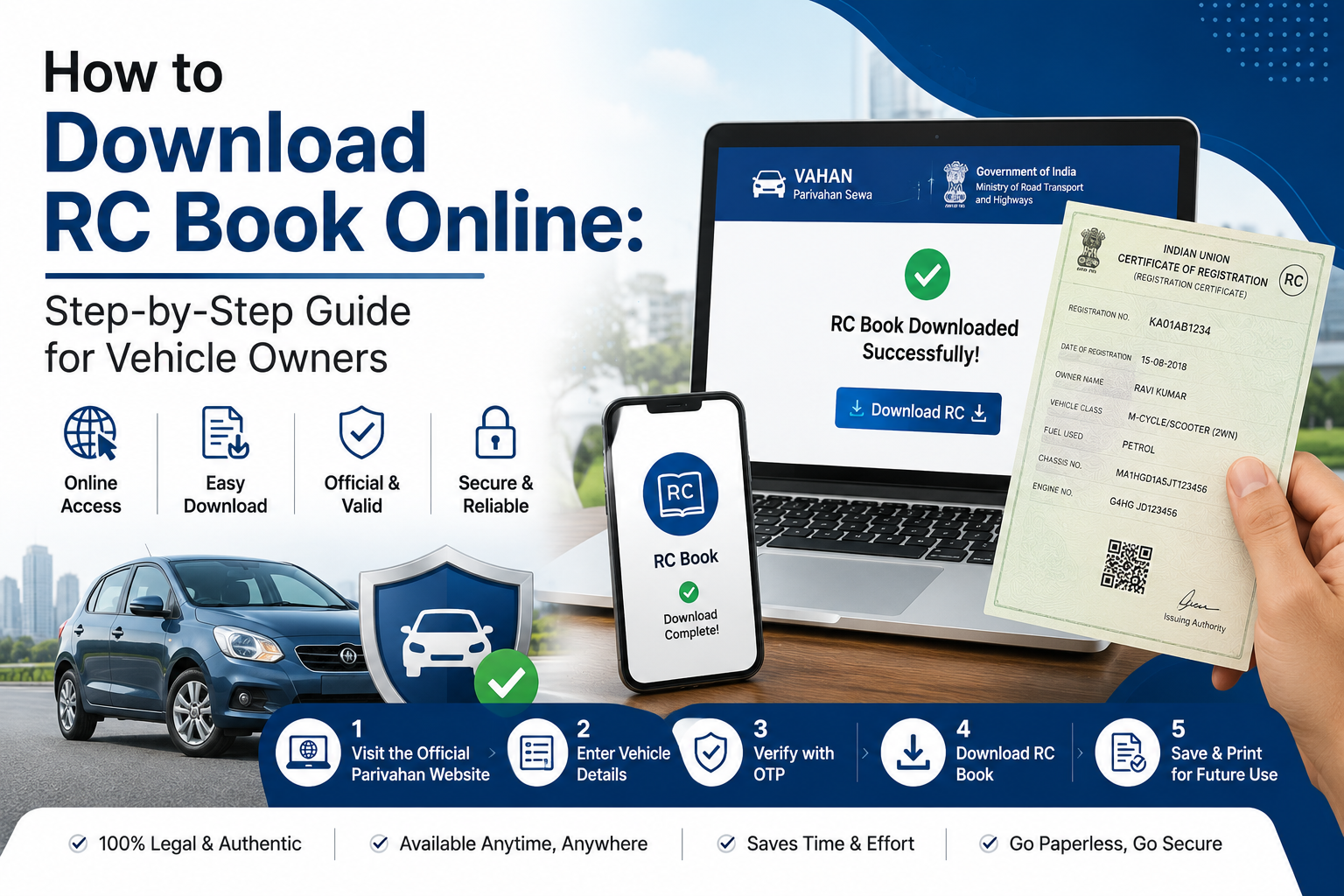
Keeping your vehicle documents handy has become easier than ever, thanks to digital platforms introduced by the Government of India. If you're wondering how to download RC Book online, you no longer need to visit the RTO or carry physical documents everywhere. The Registration Certificate (RC) can now be accessed digitally through official platforms such as DigiLocker and mParivahan.
Many vehicle owners search for how to download RC Book online when they misplace their original document, purchase a used vehicle, or simply want a digital copy for convenience. Since digital RCs are legally valid under the Motor Vehicles Act, storing them on your smartphone can save time and ensure you're always prepared. At Square Insurance, helping vehicle owners understand essential documents is as important as providing the right motor insurance coverage.
What Is an RC Book?
The Registration Certificate, commonly known as the RC Book, is an official document issued by the Regional Transport Office (RTO) that proves the ownership and registration of a vehicle.
An RC contains important information such as:
· Vehicle registration number.
· Owner's name.
· Engine and chassis number.
· Vehicle type and fuel category.
· Registration date.
· Validity period.
· Financing details, if applicable.
Without a valid RC, driving a vehicle on Indian roads is illegal.
Why Should You Download RC Book Online?
Having a digital copy offers several benefits.
· Easy access anytime.
· No risk of losing physical documents.
· Legally accepted during traffic checks.
· Useful while selling or transferring a vehicle.
· Convenient for insurance claims and renewals.
According to the Ministry of Road Transport and Highways (MoRTH), digital documents stored in DigiLocker and mParivahan are considered valid under the Information Technology Act.
How to Download RC Book Online Through DigiLocker
DigiLocker is one of the easiest ways to access vehicle documents.
Step 1: Open DigiLocker
Visit the DigiLocker website or download the app.
Step 2: Sign In
Log in using your Aadhaar-linked mobile number.
Step 3: Go to Issued Documents
Select the "Issued Documents" section.
Step 4: Choose Ministry of Road Transport and Highways
Search for the Ministry of Road Transport and Highways and select Registration Certificate.
Step 5: Enter Vehicle Details
Provide the vehicle registration number.
Step 6: Download the RC
Once verified, your digital RC Book will appear, and you can download or save it for future use.
How to Download RC Book Online Through mParivahan
The mParivahan app is another government-backed platform for accessing vehicle details.
Step 1: Install mParivahan
Download the application from Google Play Store or Apple App Store.
Step 2: Sign In
Register using your mobile number.
Step 3: Add Vehicle
Enter your vehicle registration number.
Step 4: View RC Details
The app fetches vehicle details from the VAHAN database.
Step 5: Save Virtual RC
You can access and save the digital RC directly within the app.
This digital copy is valid during traffic inspections and document verification.
How to Check RC Details Through VAHAN Portal
Vehicle owners can also view RC details online through the VAHAN portal.
Information available includes:
· Registration number.
· Vehicle class.
· Fuel type.
· Registration date.
· Owner details.
· Insurance status.
For example, if Rahul recently purchased a second-hand Hyundai Venue and wants to verify ownership records, checking the RC details through VAHAN helps confirm the vehicle's authenticity.
What If You Lose the Original RC Book?
Losing the physical RC doesn't mean you cannot access your vehicle details.
Follow these steps:
1. Download the digital RC through DigiLocker or mParivahan.
2. File an FIR if the original document is lost.
3. Apply for a duplicate RC at the concerned RTO.
4. Submit identity proof and required documents.
5. Pay applicable fees.
Until the duplicate is issued, the digital RC remains valid.
Information Available in a Digital RC Book
A downloaded RC contains:
· Owner's name.
· Registration number.
· Vehicle make and model.
· Engine number.
· Chassis number.
· Fuel type.
· Registration authority.
· Hypothecation details.
· Vehicle class.
These details are essential during insurance claims, vehicle sales, and ownership transfers.
Common Reasons Why RC Download May Fail
Sometimes vehicle owners encounter issues while accessing their RC online.
Common reasons include:
· Incorrect registration number.
· Mobile number mismatch.
· Recently registered vehicle not updated in the database.
· Technical issues with DigiLocker or VAHAN.
· Incomplete RTO records.
If problems persist, contacting the local RTO is recommended.
Why Digital Vehicle Documents Matter in 2026
As India continues moving towards digital governance, carrying physical documents is no longer mandatory in many situations. Digital documents reduce paperwork, improve accessibility, and simplify verification processes.
Along with the RC Book, vehicle owners should also keep digital copies of:
· Driving licence.
· Pollution Under Control (PUC) certificate.
· Motor insurance policy.
· Fitness certificate for commercial vehicles.
These documents help ensure smooth travel and hassle-free compliance.
Importance of Insurance Along With RC Documents
Having a Registration Certificate proves ownership, but insurance protects your finances against accidents, theft, and third-party liabilities. Both are equally important for every vehicle owner.
Square Insurance helps customers compare motor insurance plans from leading insurers and renew policies online without paperwork. Maintaining updated documents and valid insurance ensures complete peace of mind on the road.
Frequently Asked Questions
How to download RC Book online in India?
You can download the RC Book online through DigiLocker or the mParivahan app using your vehicle registration number.
Is a digital RC legally valid?
Yes. Digital RCs stored in DigiLocker and mParivahan are legally accepted under Indian law.
Can I download my RC without visiting the RTO?
Yes. The entire process can be completed online through official government platforms.
What should I do if I lose my original RC Book?
You can use the digital RC and apply for a duplicate Registration Certificate through your local RTO.
Can I use the digital RC during traffic checks?
Yes. Traffic authorities accept digital vehicle documents available through DigiLocker and mParivahan.

 English
 Arabic
 French
 Spanish
 Portuguese
 Deutsch
 Turkish
 Dutch
Dutch
 Italiano
 Russian
 Romaian
 Portuguese (Brazil)